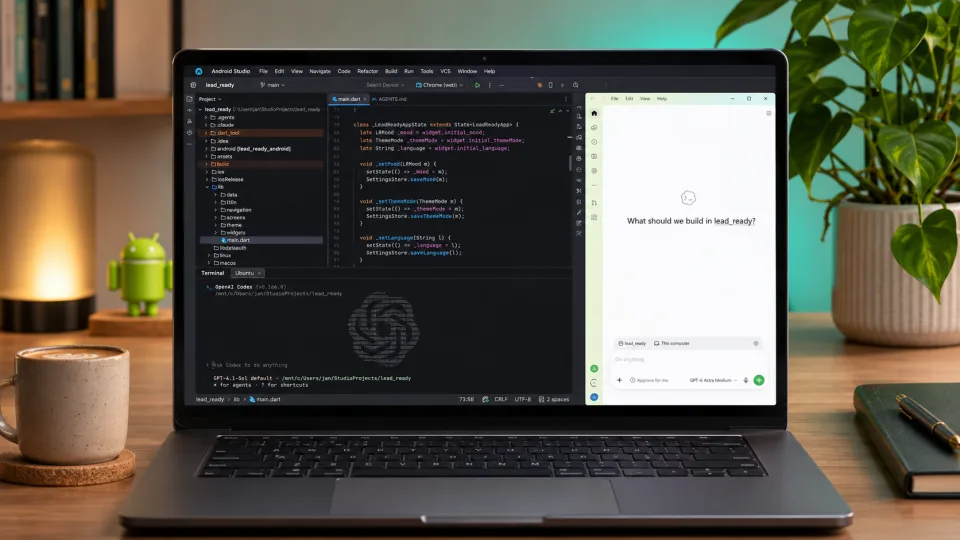
A few years ago, I probably wouldn't have bothered building my own mobile app. I write software for a living, but spending months of evenings on a tool to solve one specific problem didn't seem worth it. AI changed that calculation. I wanted to see how far I could get with vibe coding: let AI handle most of the implementation while I focused on what the product should actually do.
That's how LeadReady was born, a mobile app to help me prepare for and run one-on-one meetings. After about a week, I had a usable first version. What I learned turned out to be more interesting than the speed itself.
First, I had to figure out what I actually needed
As a team lead, I regularly have one-on-ones with the people on my team. For a long time, I kept notes in OneNote, prepared talking points there and looked back at previous meetings. It worked, but it felt clumsy. I wanted notes, meeting history and preparation in one place.
As I started planning the app, the feature list grew fast: a calendar, shared notes, goals, dashboards. Before long, I was heading towards an HR system rather than a simple assistant for my one-on-ones. So I asked myself a more useful question: What would actually help me in my next meeting?
I dropped the calendar because I already schedule meetings in Outlook. Sharing notes and goals went too. They would have added complexity without solving my immediate problem. That's the first paradox of AI-assisted development: the easier it becomes to add a feature, the more important it is to know when not to.
Instead of writing a list of technical tasks, I used AI to describe what I needed and how I expected to use the app. Then I designed the screens with Claude Design and refined the static mockups until the flow made sense. For a while, I stopped thinking about implementation and started thinking like a product manager.
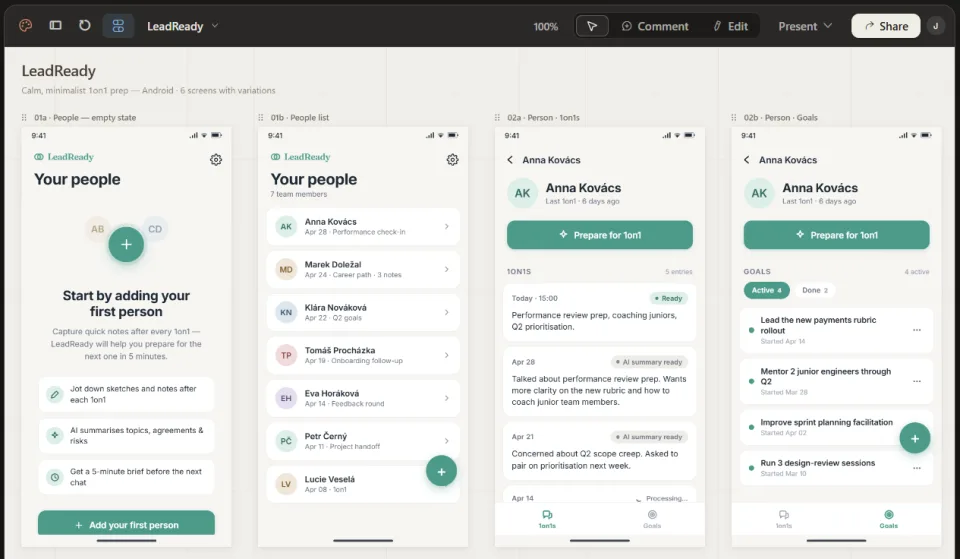
A week later, I had something I could test
I chose Flutter. I'd played with it before, but I wouldn't call myself an experienced Flutter developer. I let AI choose the libraries, data model and many implementation details. I did set some ground rules, though: the code needed to be testable, the project needed automated tests, and it should follow established Flutter practices.
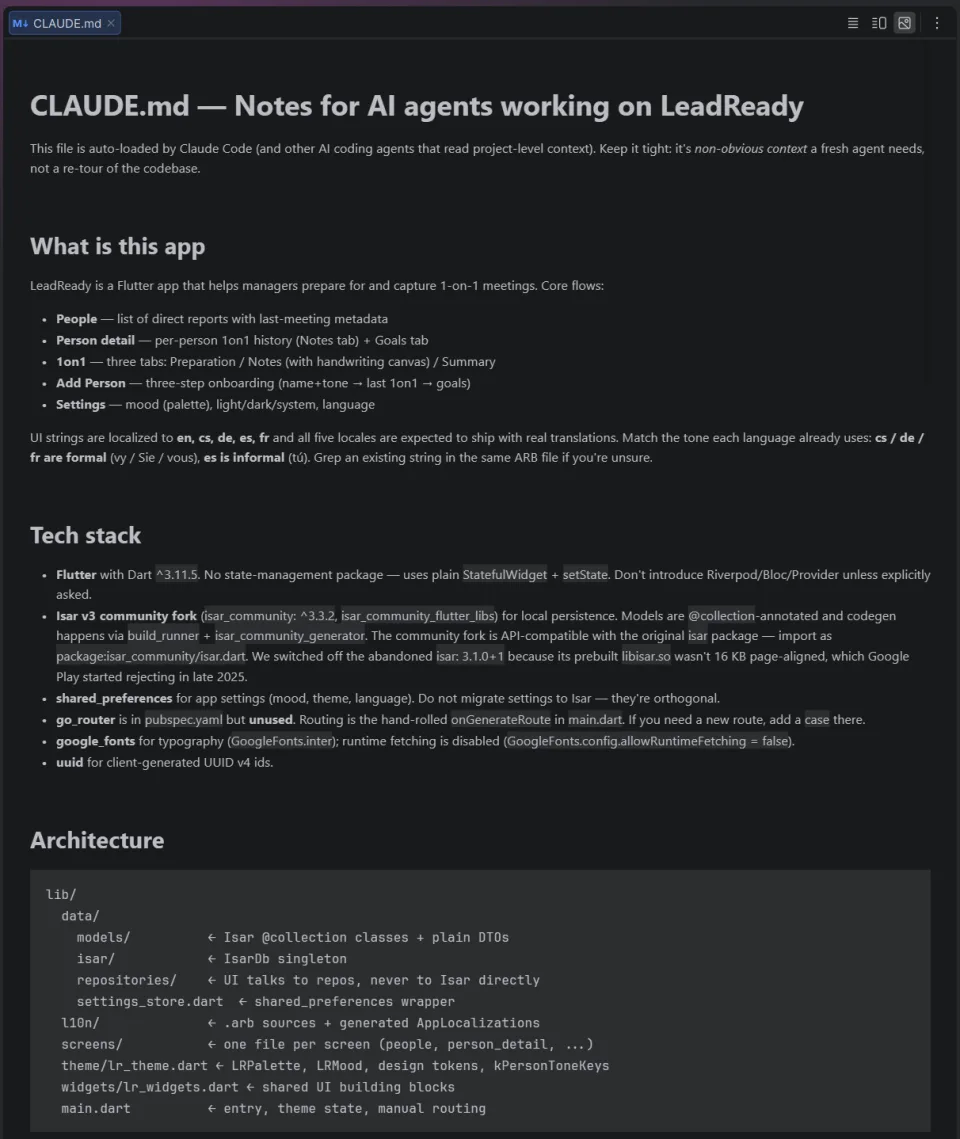
We broke the product requirements and screen designs into smaller tasks. Claude Code and Codex handled the implementation, sometimes with subagents working on separate parts. While they kept building, I could already click through features in an Android emulator and provide feedback.
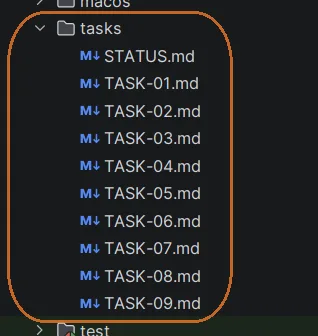
I wasn't deciding which widget to build or exactly how to store a value anymore. I described the behavior I wanted, such as an app remembering something after I'd closed it. My role shifted from writing code to defining the experience and testing whether it worked.
After a week of evenings, about 20 hours of my own time, I had a usable build ready for testers. Of course, the AI agents were working in parallel, and getting the app released was another story. Still, without AI, I expect the same result would have taken me months.
AI wrote the code. But who's responsible for the result?
The first reality check came when I prepared to publish the app on Google Play. An outdated library AI had selected prevented the build from meeting Google Play's requirement to support 16 KB memory page sizes. The app ran fine in the emulator, but I couldn't release it in that form. I had to replace the dependency and rework part of the implementation. That meant more time and more money spent on AI tools.
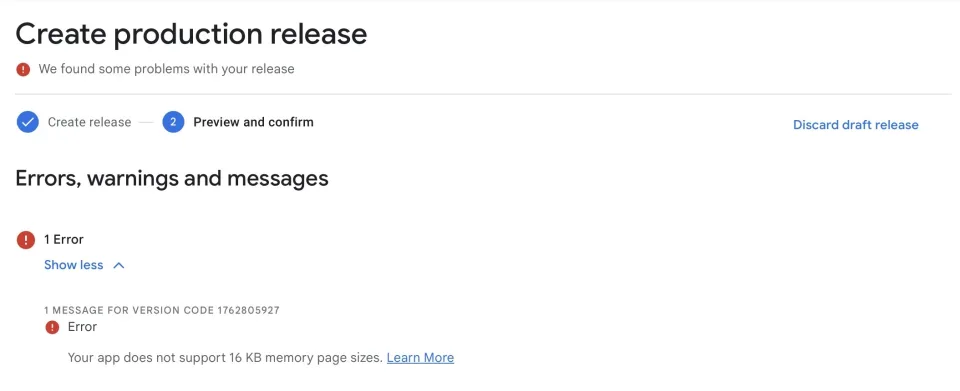
I could have had another model independently review the library choices at the start. I didn't. It left me wondering: if I missed this, what else might appear to work while hiding a much bigger problem?
LeadReady has user accounts, subscriptions and AI features. Because of my background, I knew not to ship AI API keys inside the mobile app, so requests go through my own backend. Subscriptions also need more than a successful payment screen. You have to process payment events and keep the subscription status in sync. Without a technical background, some of these risks might never cross your mind.
Could someone who doesn't code build a similar app? I think a technically confident person can achieve a lot with AI. It can explain how a backend works or point out security pitfalls. But you still need to know when to ask, and sometimes the hardest part is recognizing a question you didn't know existed. My experience helped me move faster and spot certain risks, yet I still missed a dependency problem.
That's why I don't believe a developer's value disappears when code becomes cheaper to write.
Memorizing syntax matters less than understanding architecture, data, performance, security and what happens when software is used in the real world. On my team, the principle is simple: we're accountable for the quality of what we ship, not the AI that helped write it. And that's why I still think learning those fundamentals matters for new developers.
The app works. So where are the users?
Today I use LeadReady for my own one-on-ones. It's more convenient for me than OneNote and solves the problem I set out to fix. I keep improving it based on my own use and feedback from a few early users. By that measure, it's a success.
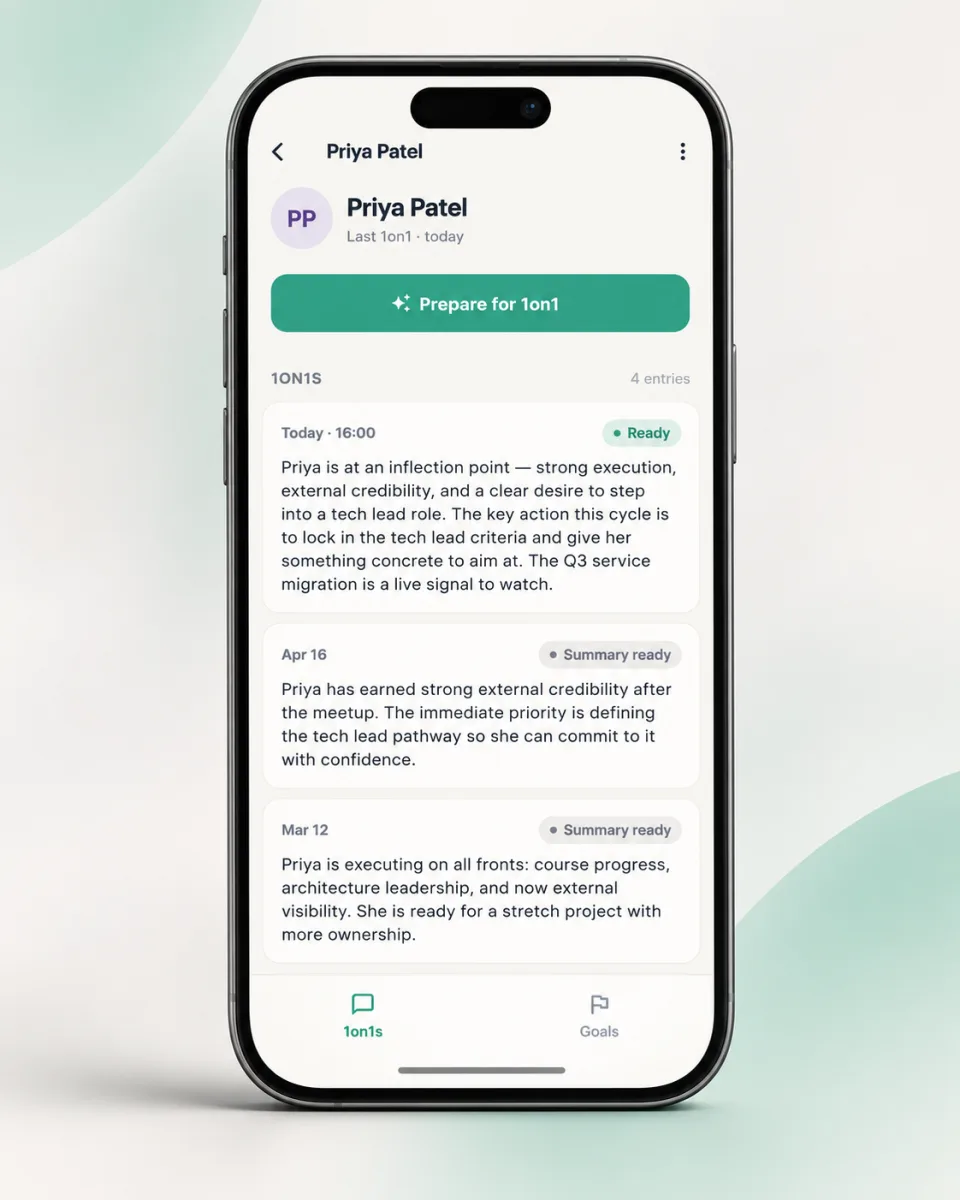
But solving my problem doesn't mean I've found a problem shared by a large audience. I've tried LinkedIn, Reddit and even paid ads. So far, installations are still in the single digits. I'll admit that's discouraging, especially given how quickly I built the app. I'm not sure whether the need is too niche, my message isn't clear or I'm simply failing to reach the right people.
I also came across a competing app for one-on-one notes and preparation. I tried it and found it less intuitive and useful for my needs. That doesn't mean others feel the same. To me, it felt like a fairly generic product, without much firsthand experience of the problem behind it. Its blog caught my attention too: a new article appears almost every week. I read a few, but most felt like generic advice rather than lessons learned from real experience. I don't know whether AI wrote them. What struck me was how easy it has become to publish a steady stream of polished content that doesn't say much.
I use AI myself for things like graphics. I'm not a designer, and it's a huge help. But I don't want to add more generic leadership content to the internet. On the LeadReady blog, I'd rather write about how I actually run one-on-ones and handle feedback, including what has and hasn't worked. That takes more time. And in a flood of articles and ads that are cheap to produce, getting anyone to notice something thoughtful can be surprisingly hard.
Maybe that firsthand experience is what makes LeadReady different from another app someone could recreate with AI. But that's still a hypothesis. The real challenge is figuring out how to show its value to people who might benefit from it.
What's next for LeadReady?
I'm going to keep using and improving LeadReady. It already has value for me. What I don't know yet is whether other leaders will see that same value, and I don't want to pretend I have the answer. I need to find out.
This project taught me just how short the distance between an idea and a working app can be with AI. But AI doesn't remove our responsibility for quality, and it doesn't tell us whether we're solving a problem people care about. Right now, finding those people feels harder than writing the software.
So I'm curious: how do you prepare for your one-on-ones and keep track of your notes? Is OneNote or a regular notebook enough, or do you use something built specifically for it? What's missing from your current setup?